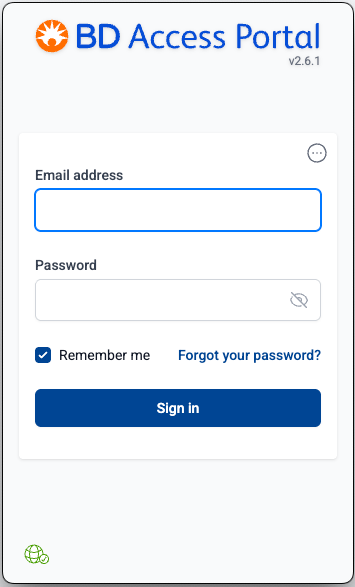
BD Access Portal has two components
1) The BD Access Portal Website https://bdaccessportal.com/, where users create, access and manage their account. More information on the BD Access Portal Website Link
2) The BD Access Portal desktop application, which must be installed and running on the users' computer, and is the licensing agent for FlowJo™ v11 and Infinicyt™ Software.
Installing the BD Access Portal Application
For FlowJo™ v11 and Infinicyt™
The BD Access Portal application is included as a bundled component in the installer for FlowJo™ v11 and Infinicyt™. It is automatically installed during the software installation process.
We recommend always updating both FlowJo™ v11 or Infinicyt™ and BD Access Portal together from these bundled installers.
- FlowJo v11 Downloads Page Link
- Standalone BD Access Portal Installers are also available for IT professionals to perform headless installations not supported by the bundled installers. Installation for IT Professionals Page Link
Logging into the BD Access Portal Application
After installation, search for and launch the BD Access Portal application.
Enter your BD Access Portal account credentials (Email + Password), then click the Sign in Button